

Reverse DNS (rDNS), also known as a PTR record, links an IP address to a domain name, typically a subdomain. This process works in the opposite direction of regular (forward) DNS, where a domain name is connected to an IP address.
For example, if you set the reverse DNS for IP 123.123.123.123 to mail.example.com:
-
When you query the IP address of
mail.example.comusing a command likeDIG, you'll receive the IP123.123.123.123. -
Conversely, performing a reverse DNS lookup on
123.123.123.123will returnmail.example.com.
Reverse DNS is often used to verify the source of an email, adding an extra layer of security. Many email servers are configured to reject or flag messages as spam if the sending IP does not have a valid reverse DNS record.
How to Configure Reverse DNS
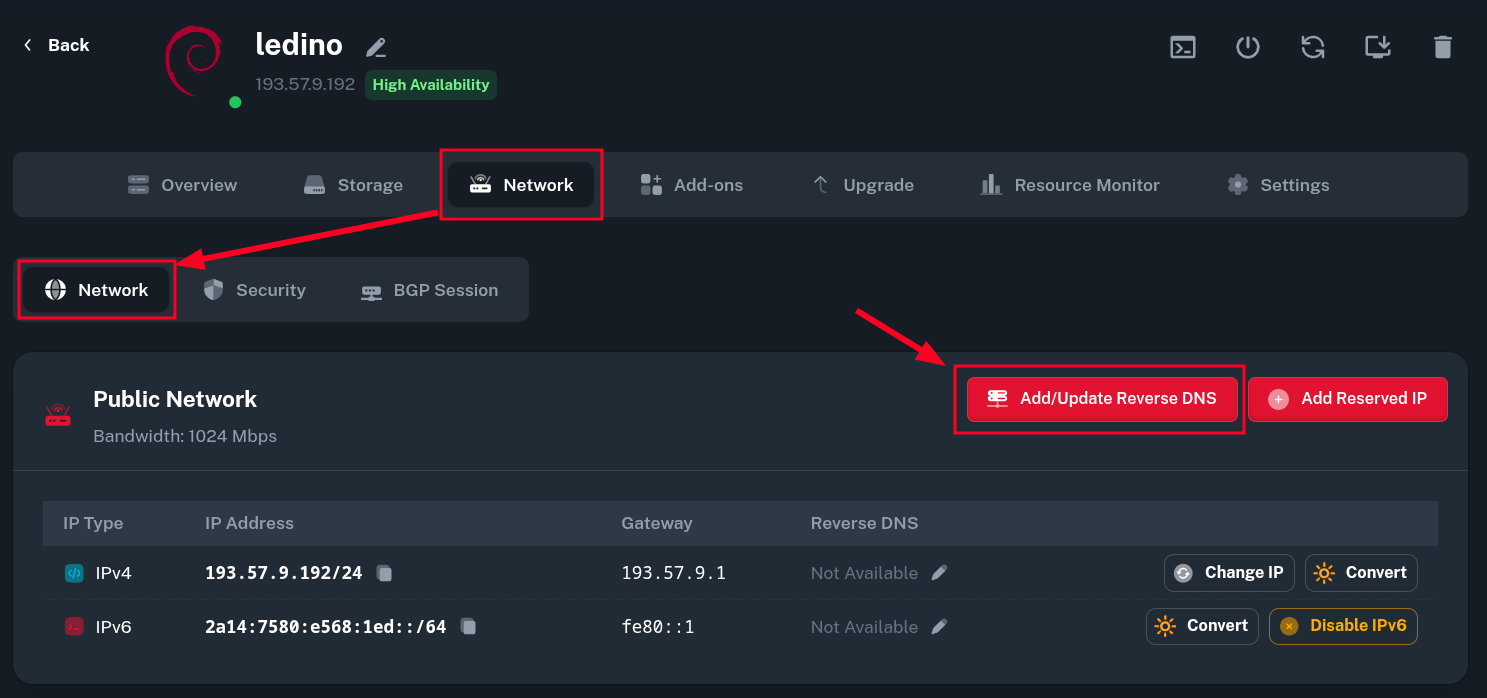
To configure the reverse DNS, log in to the Onidel Cloud Control Panel, navigate to the service that has the IP you want to configure and click on Network tab of your VM.
To add a new Reverse DNS record or update an existing one, input the IP address concerned and enter the domain and click Add/Update Reverse DNS.
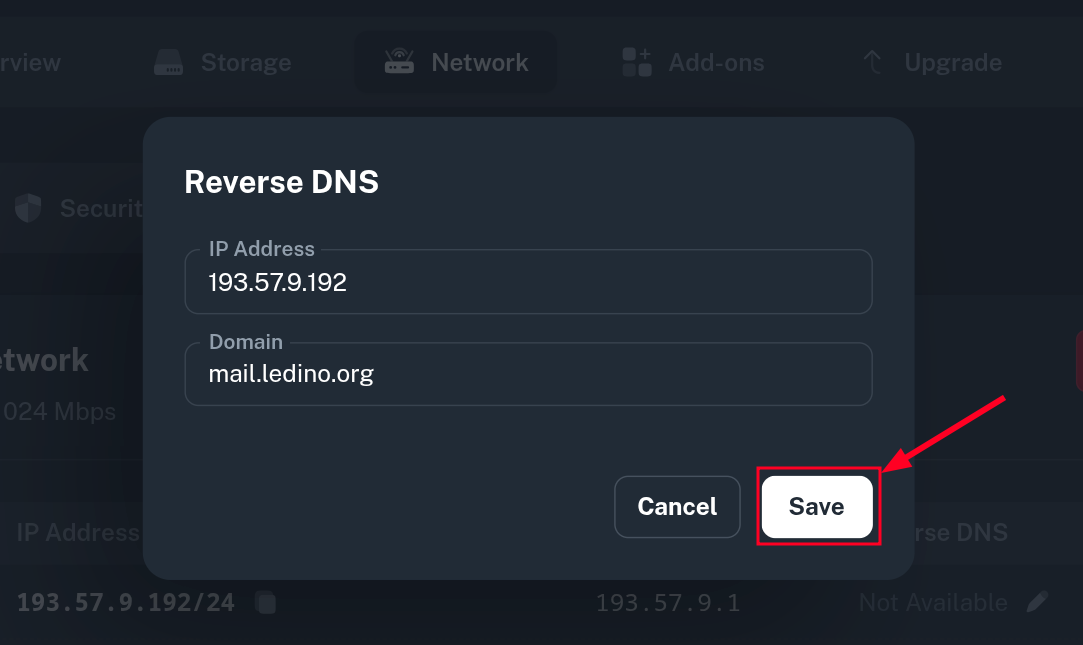
From there, you may input the desired rDNS domain name and select whether the record should be added to IPv4 or IPv6 public address of your service. To apply the changes click the Save button.
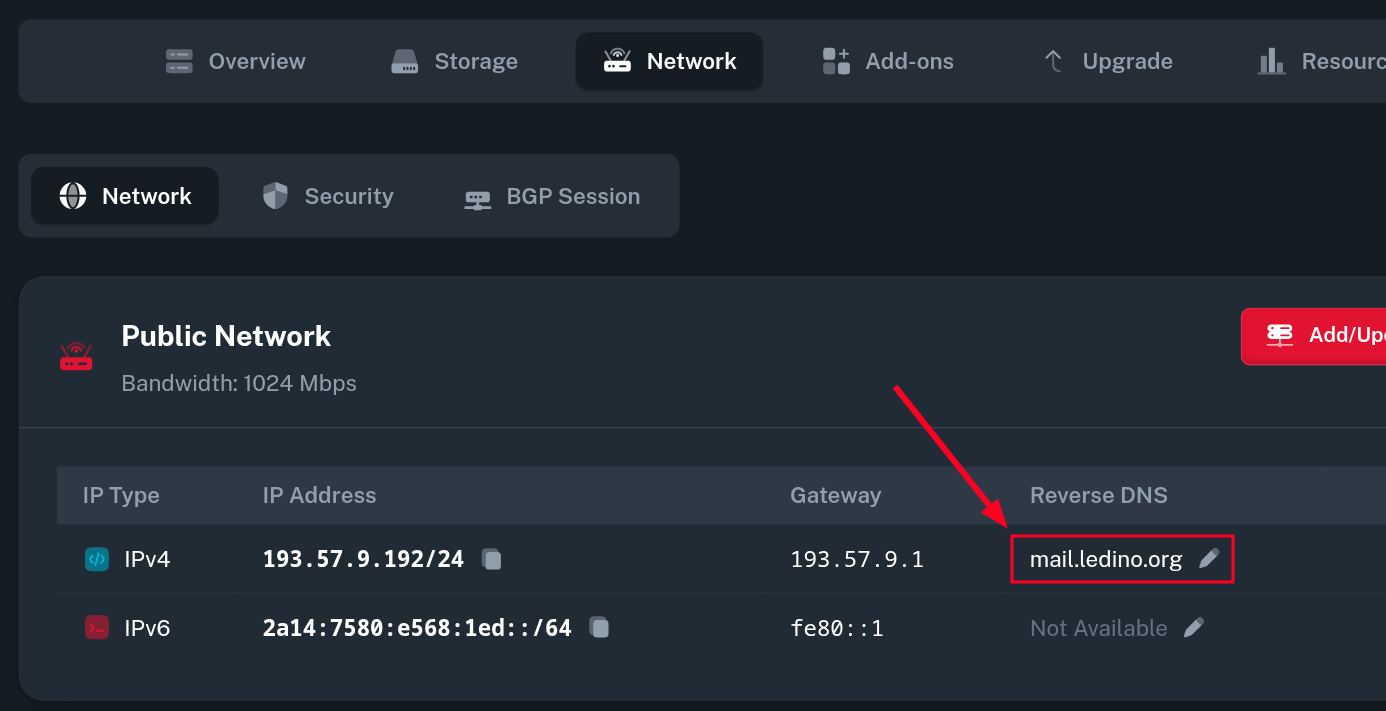
Now our system will verify if the corresponding DNS record is present. If everything is set up properly, you should now see the saved rDNS record in the Reverse DNS column.
Our system will also periodically check if the DNS record is still present for that domain and remove the rDNS entry automatically if the A/AAAA record got removed. Adding a new record will also delete any invalid PTR record has the same domain.
Verify the Reverse DNS Record
To verify if the reverse DNS record is currently present, you may now try to query the IP address of your service using nslookup command. It should answer with the rDNS we set for that IP address.
$ nslookup 193.57.9.192
192.9.57.193.in-addr.arpa	name = mail.ledino.org.
In some cases it could take up to few hours for the record to propagate.