

An Affinity Rule keeps a group of VMs on different physical hosts. This helps reduce the impact of a single host failure on applications that run across multiple VMs - for example, two web servers serving the same website.
Each rule supports two or three VMs, and each VM can belong to one rule at a time.
Affinity Rules replace the former Peer Server feature. The new feature extends host separation from a pair of VMs to groups of up to three, with centralized management and clearer status information.
Create an Affinity Rule
-
Open Orchestration → Affinity Rules.
-
Click Create rule.
-
Enter a descriptive name, such as Web servers.
-
Select two or three eligible VMs.
-
Click Save.
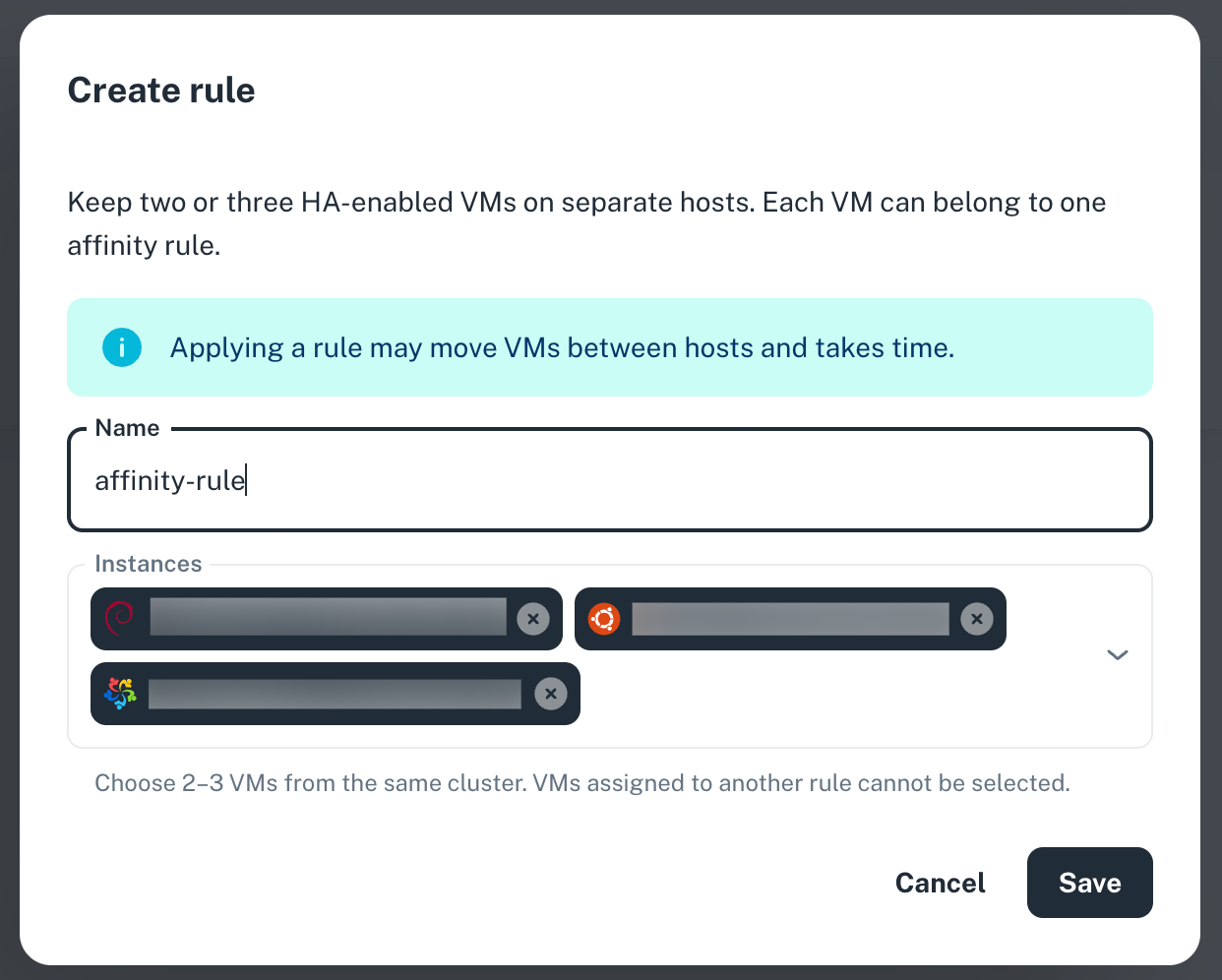
The VM selector shows which instances can be grouped together. Members must belong to the same team and compatible infrastructure in the same location. Instances with an operation in progress may be temporarily unavailable.
Applying a rule may move VMs between hosts and takes time.
You can also start from a VM's details page: click Create rule under Affinity Rule to open the dialog with that VM preselected.
Check the rule's status
The Affinity Rules page lists each rule's location, members, and status.
-
Pending: The rule is waiting to be applied.
-
Configured: The rule has been applied. Hover over the status badge to check whether the VMs are running on separate hosts or still waiting for separation.
-
Needs attention: The rule could not be applied. Hover over the status badge for details, then retry after resolving the issue.
-
Deleting: The rule is being removed.
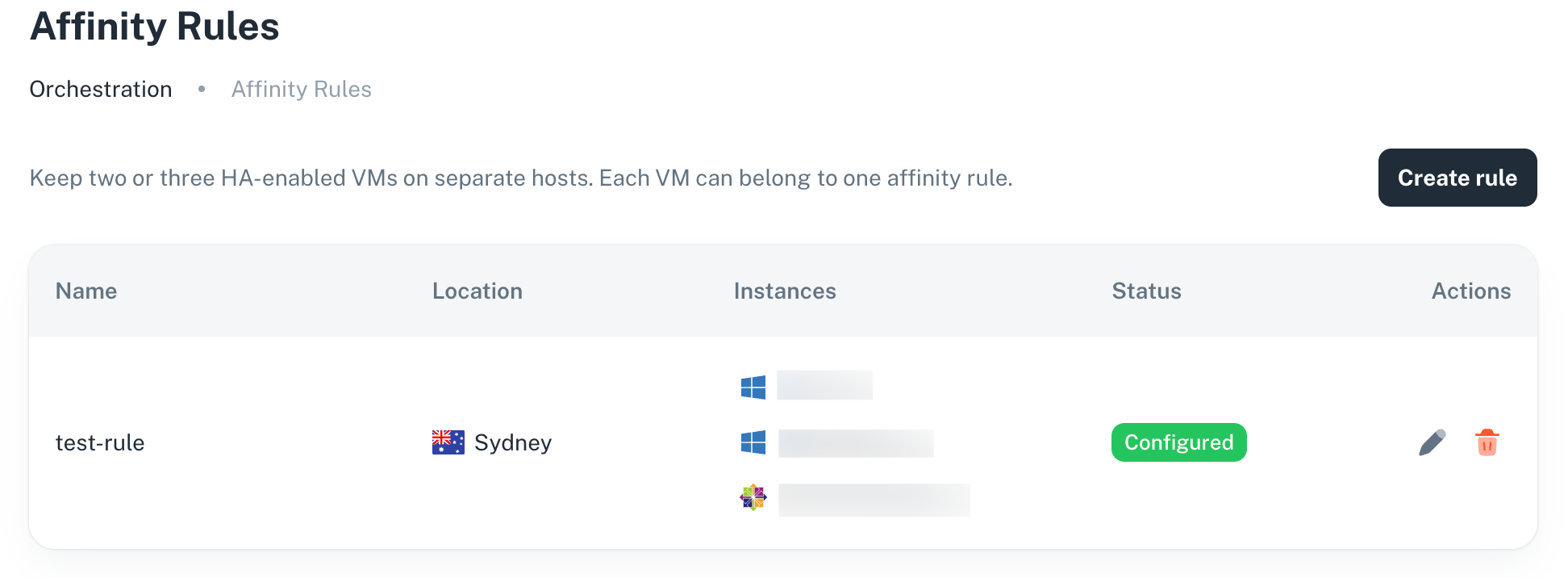
The Current node field on each VM's details page shows its recorded host.
Edit or remove a rule
Use the Edit icon to rename a rule or change its members. A rule must retain at least two VMs.
Use the Delete icon to remove the rule. Deleting an Affinity Rule does not delete its VMs; it removes the requirement to keep them on separate hosts.
Affinity Rules help separate infrastructure, but your application still needs its own replication, traffic routing, and failover configuration to take advantage of that separation.