
Locations
Onidel offers S3-compatible Object Storage in the following locations:
Technology
The underlying technology powering Onidel Object Storage is CEPH - an open-source, robust distributed storage solution. Your data is triple replicated to make ensure its integrity and availability.
Supported Features
-
CORS
-
Lifecycle Rules
-
Versioning support
-
Pre-signed URLs
-
Static Website Hosting
Pricing
Ingress
Ingress is free on Onidel Object Storage. You can upload as much data as you like.
Egress
Egress is free up to 3x the storage size so for example, if you have 1TB object storage plan, you can use up to 3TB of egress data transfer without any additional cost.
Excess bandwidth is billed at $0.01 per GB.
Creating Object Storage Service
-
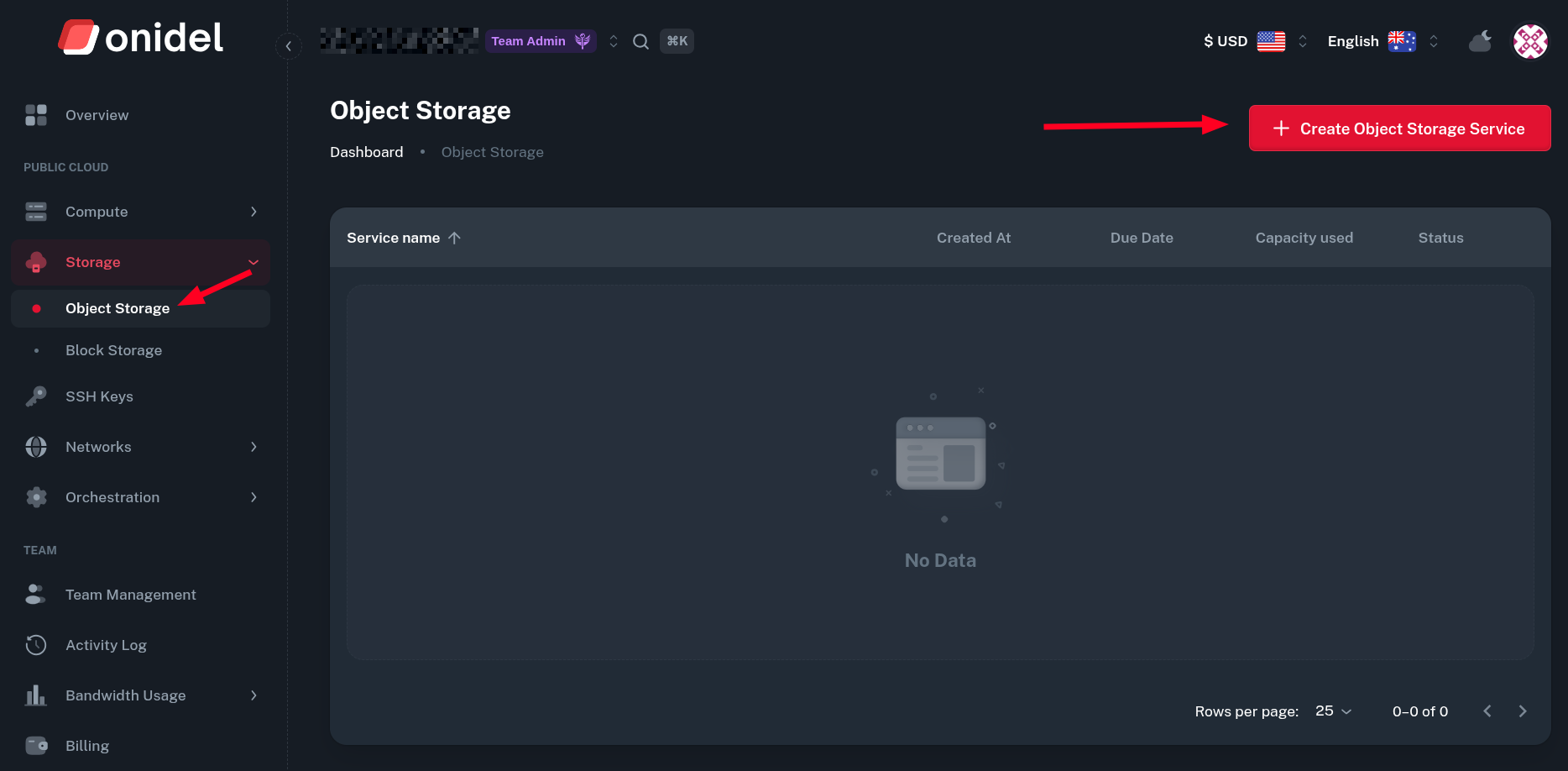
Log into Onidel Cloud Panel and navigate to Storage > Object Storage. Then, click on Create Object Storage Service button.
-
Now, choose the:
-
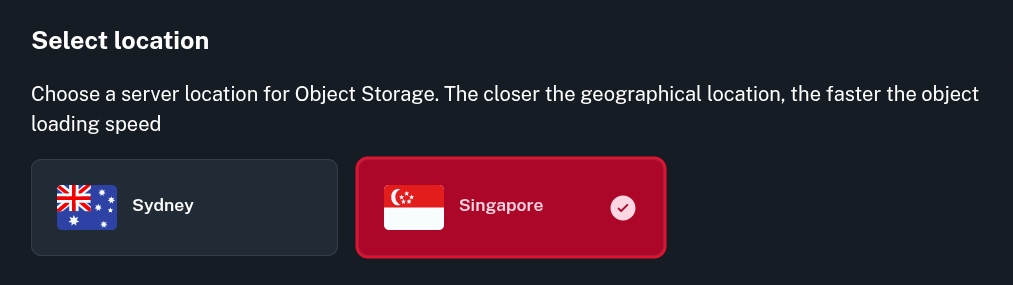
Location - if unsure, you can test the speed and latency to both of our locations using the test files provided at the top of this page.
-
Billing Cycle - annual billing gives you 20% discount. The billing period can be adjusted after the service is created.
-
Service Name - it is not the same as the bucket name. Later, you can create up to 100 unique storage buckets within one service and give a different name for each of them.
-
Storage Size - desired maximum object storage size, starts at 1TB and can be upgraded later. It can not be downgraded later.
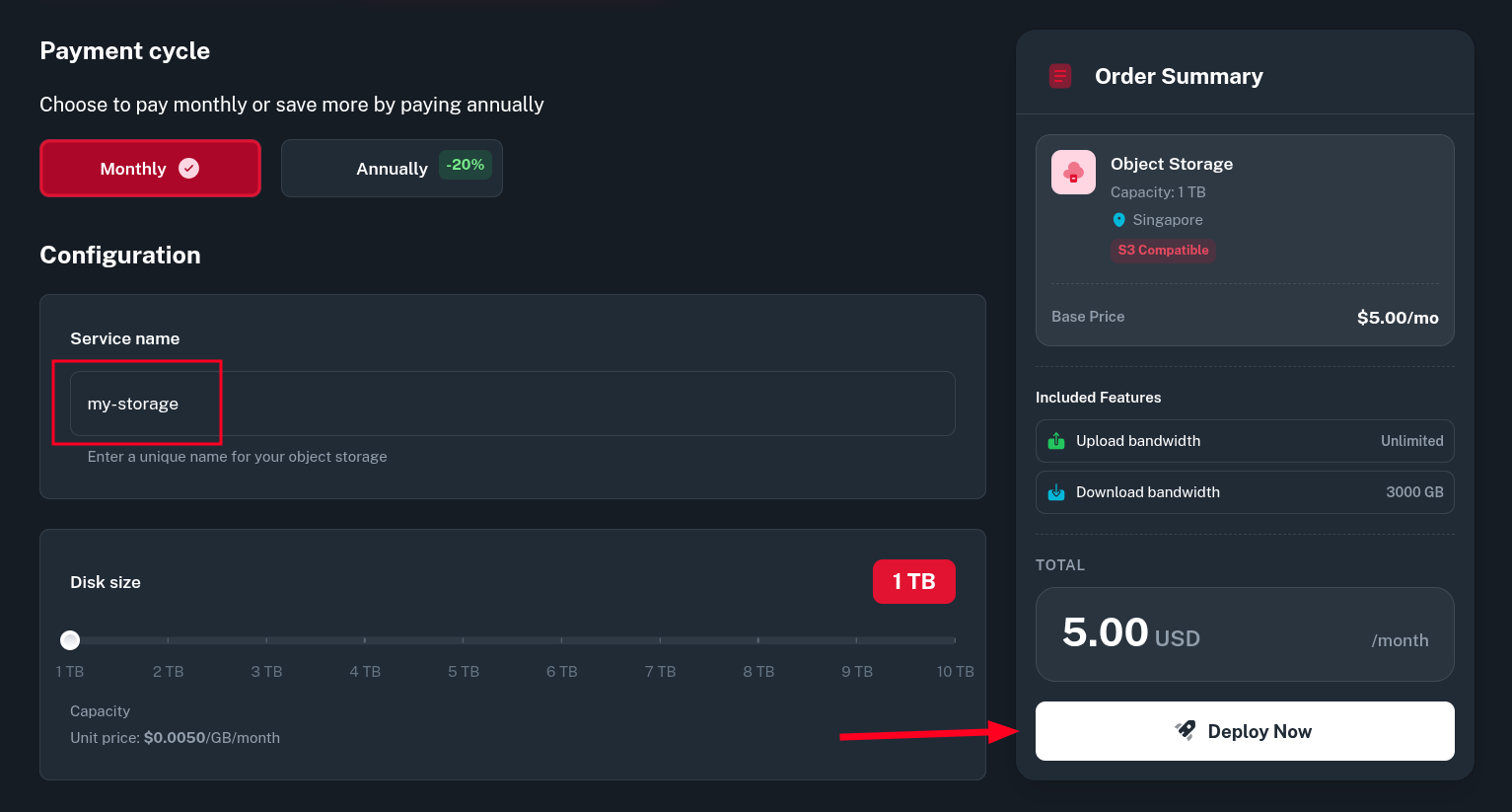
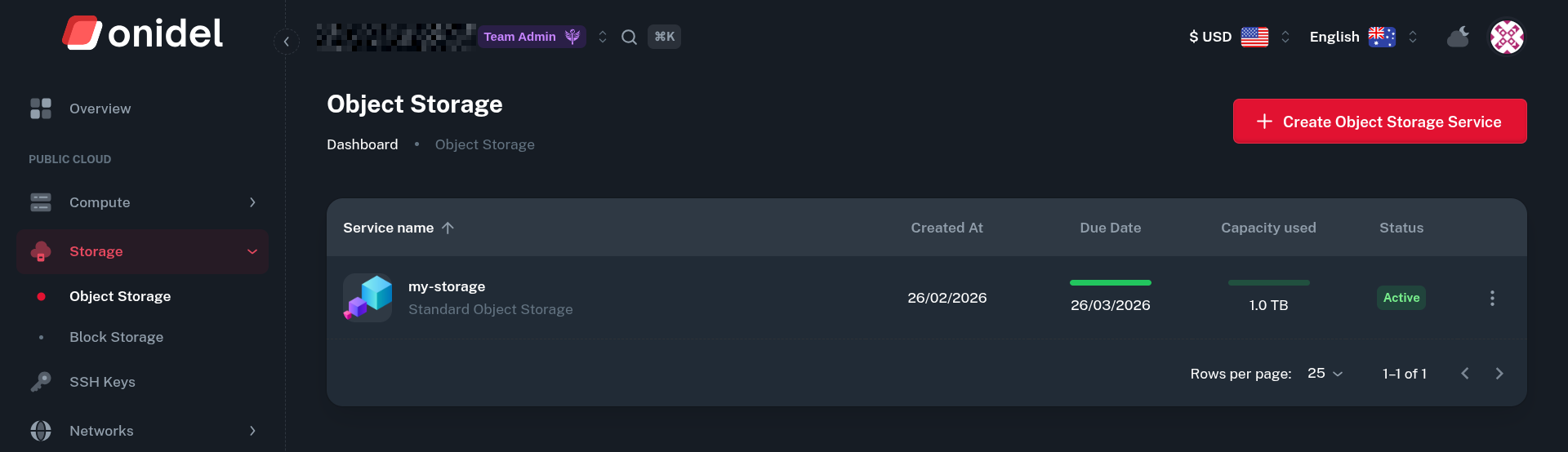
After that, click on Deploy Now and the service should appear in the Object Storage list.
-
Creating a Bucket
-
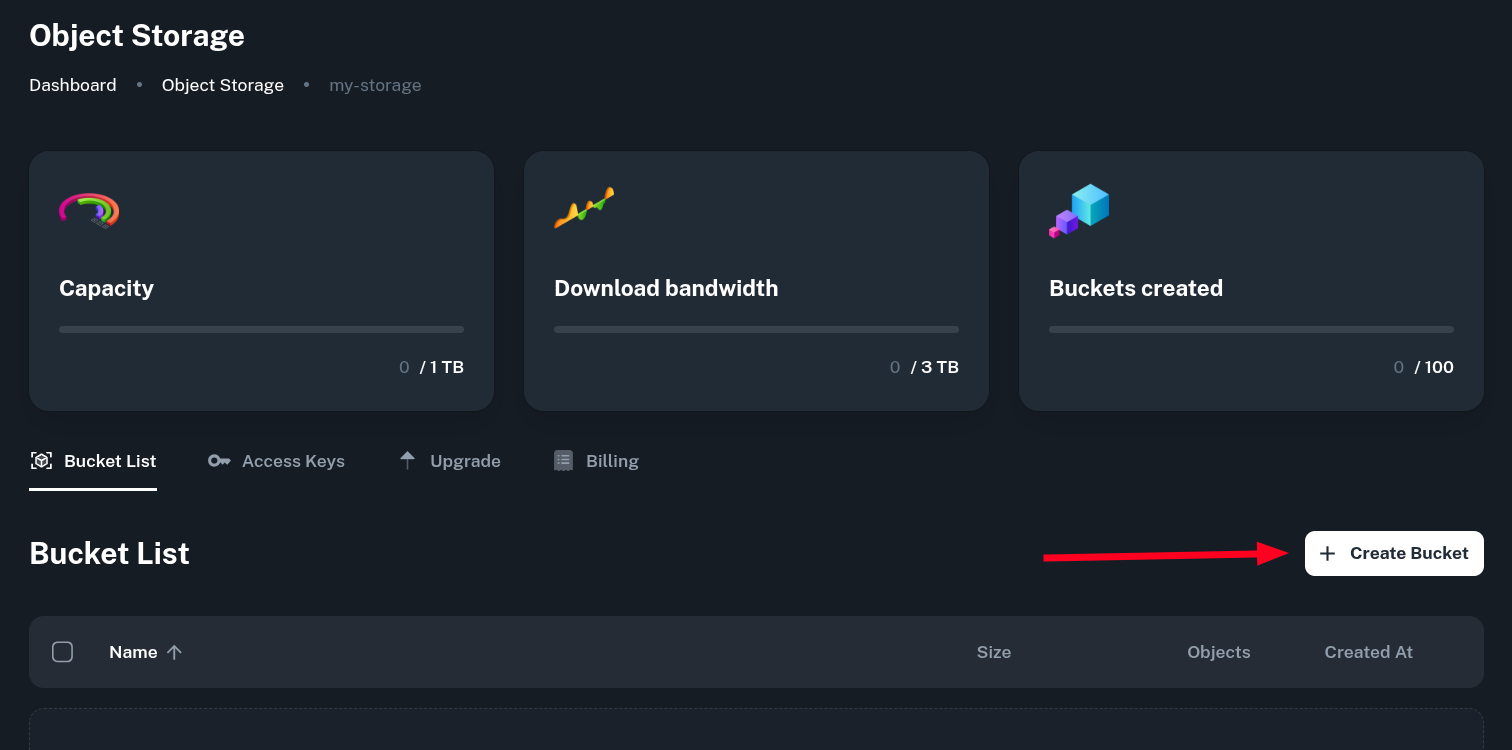
After going to your newly created service, you can see stats about usage of capacity, traffic and active bucket amount. You can also create a new bucket.
-
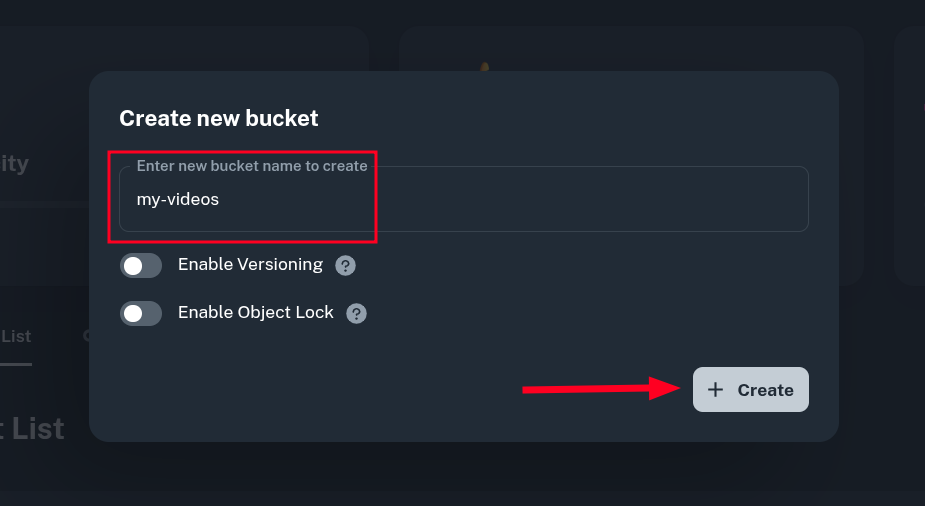
Now select the:
-
Name of your bucket - it will be referenced in apps that use your S3 bucket.
-
Versioning toggle - if you need to store separate versions of objects uploaded to this bucket. This can increase the storage used by the object if there are multiple versions of it, but it lets you access specific version of the object instead of overwriting it on update. If unsure, leave this disabled. It can be enabled later.
-
Object Lock toggle - if you want to enable WORM (Write Once Read Many) feature of object storage. This ensures no data can be deleted and that there are always past versions of objects stored. Enabling WORM also turns on Versioning option.
Then confirm creation by clicking the Create button.
-
-
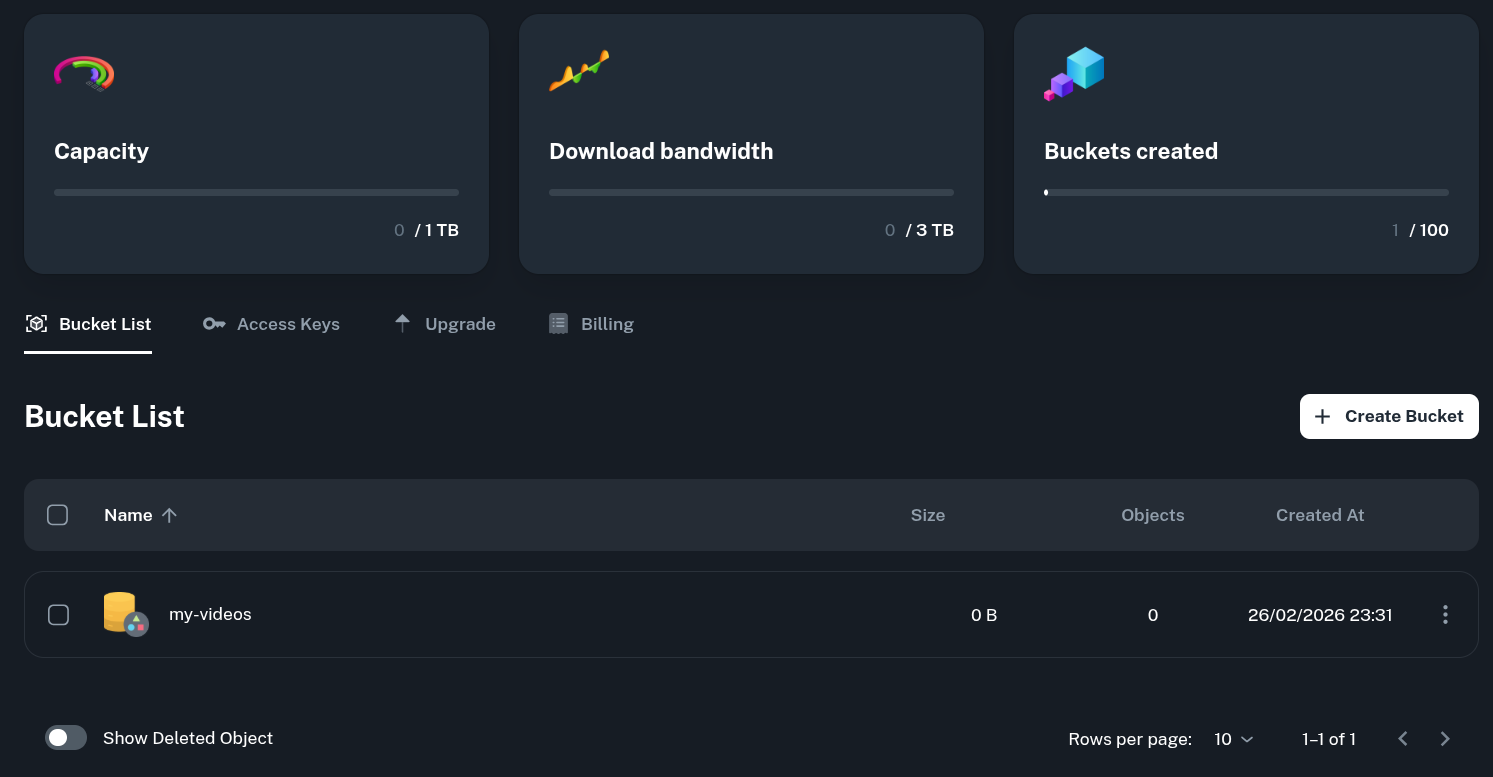
After the bucket is created, you will see it in the Bucket List.
Managing Objects from the Panel
Onidel Cloud Panel offers a Web UI where you can upload files, create paths and manage them in an easy and intuitive way.
-
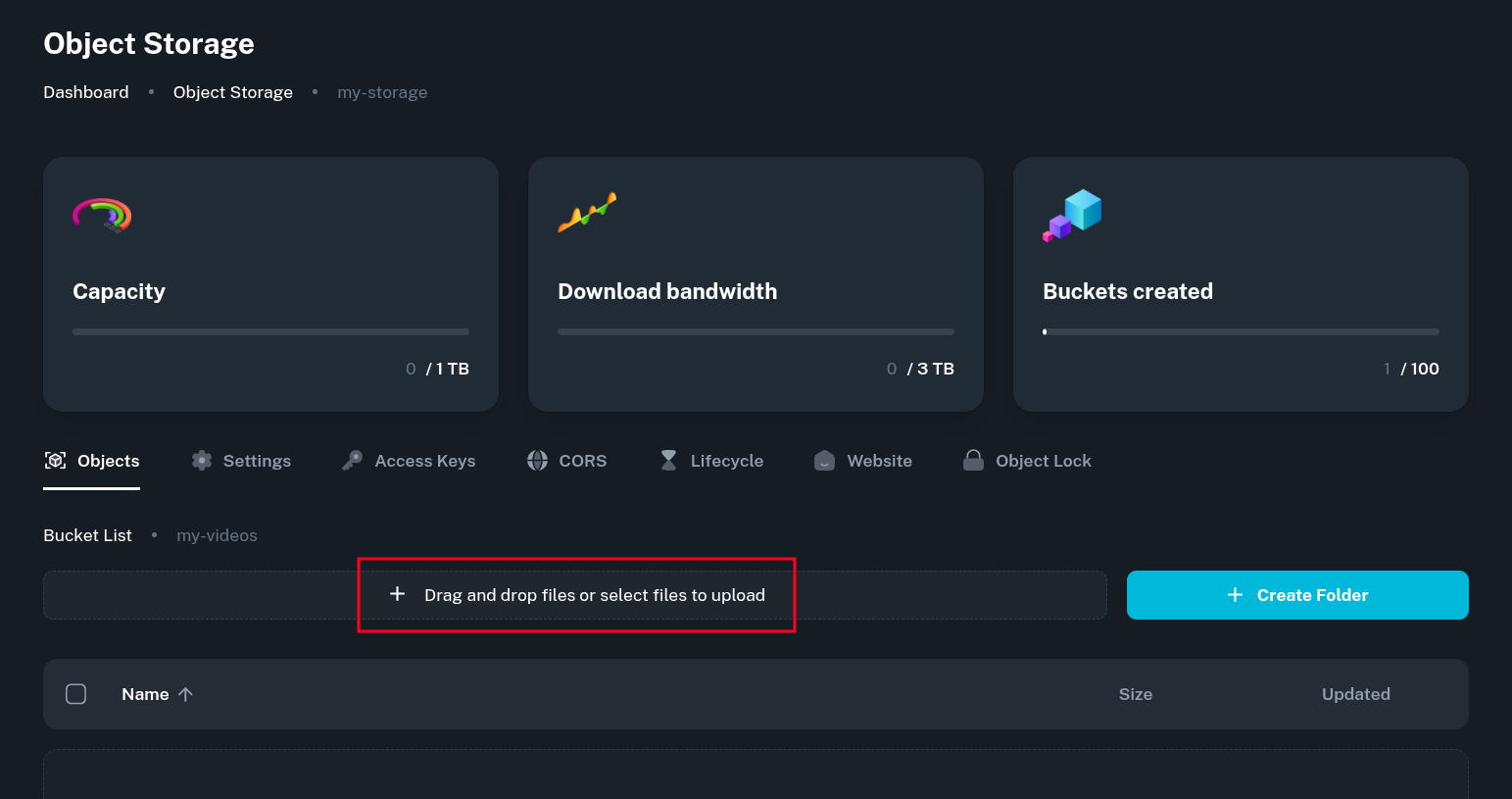
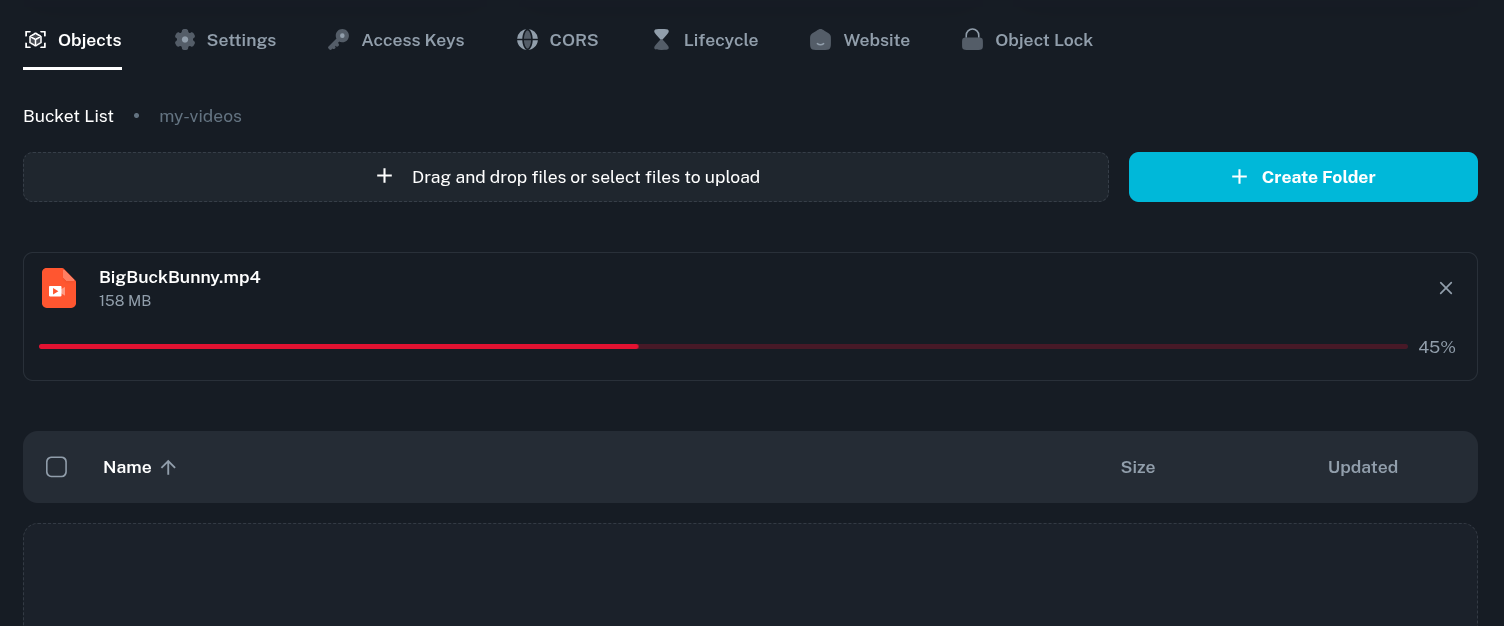
After choosing the bucket from the list, you can drag and drop files into it in the Objects tab.
-
After choosing a file, the upload will start.
-
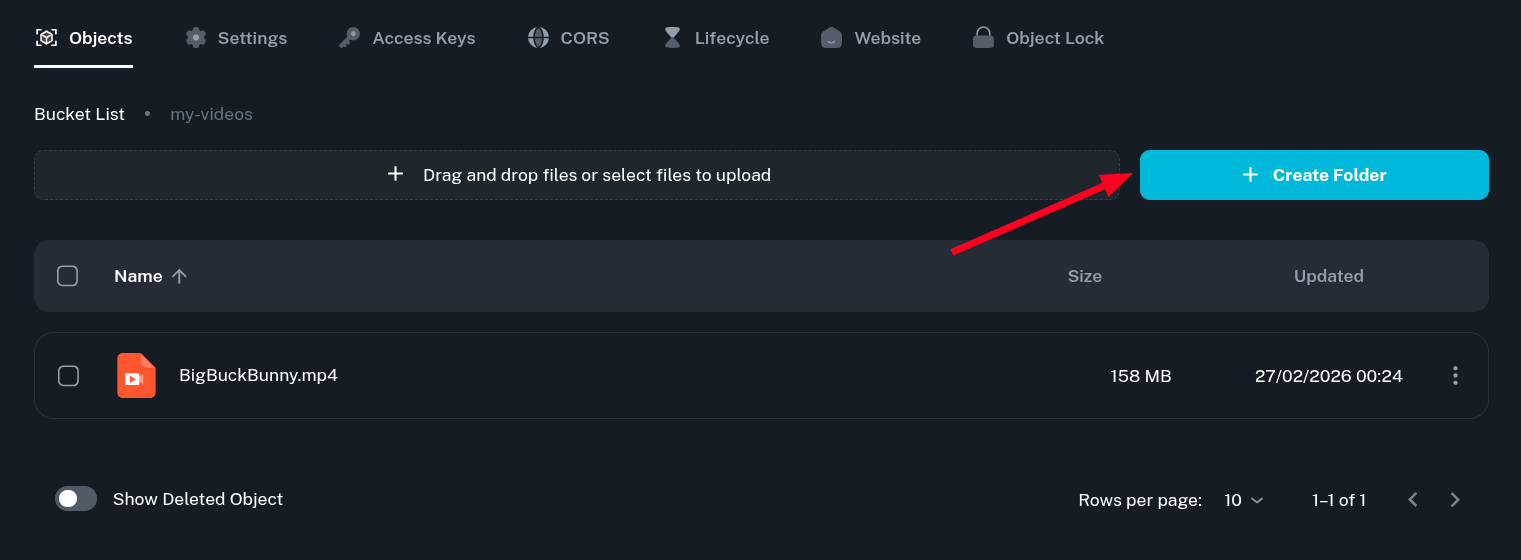
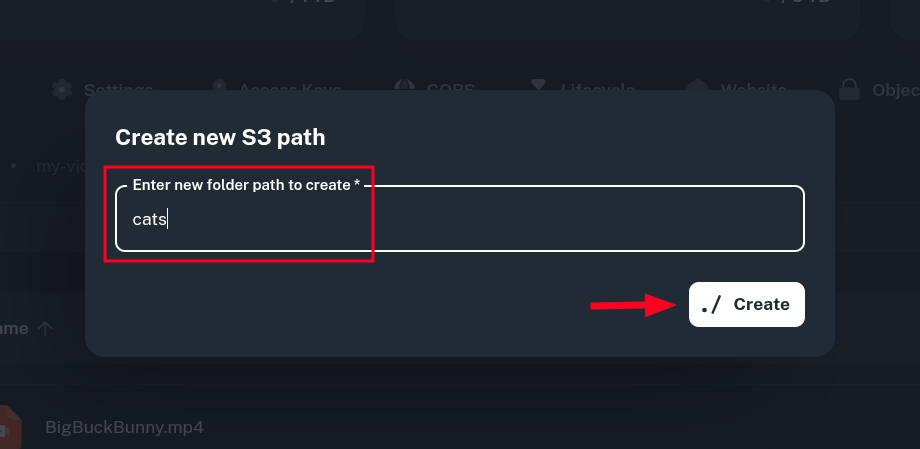
You can also create Folders (S3 paths) for a better object structure inside the bucket.
-
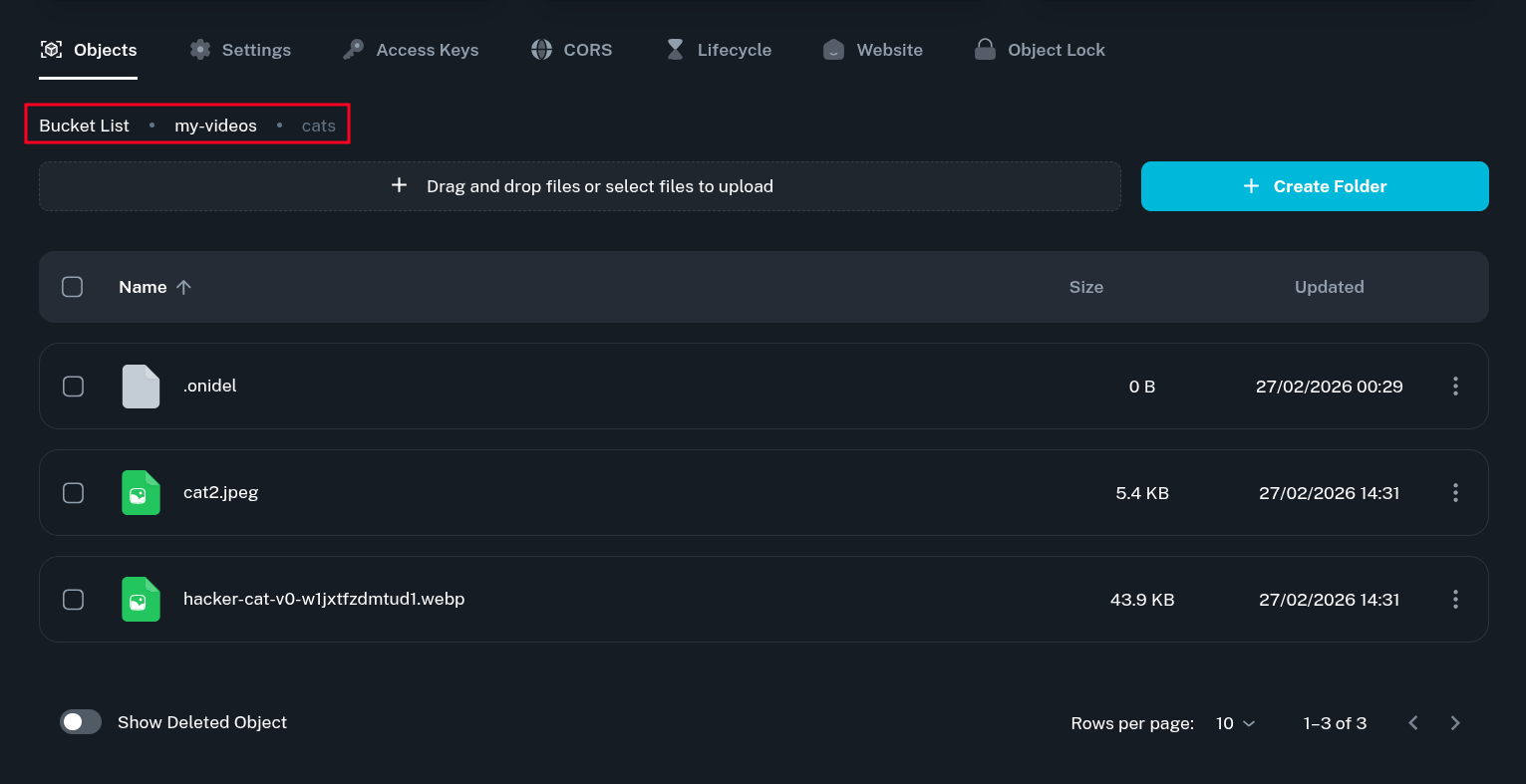
You can upload objects there by navigating to the folder and uploading files there.
External Applications
s3cmd
s3cmd is a free, open-source client for s3 compatible object storage. It allows managing your objects using with a simple command line interface.
We will use it as an example of external application connecting to Onidel Object Storage service. You can install s3cmd via pip or as a package on many Linux distributions.
-
To access your Object Storage from external applications, you will first need to get a bucket access key. To get it, go to the Access Keys tab and note your Access and Secret key.
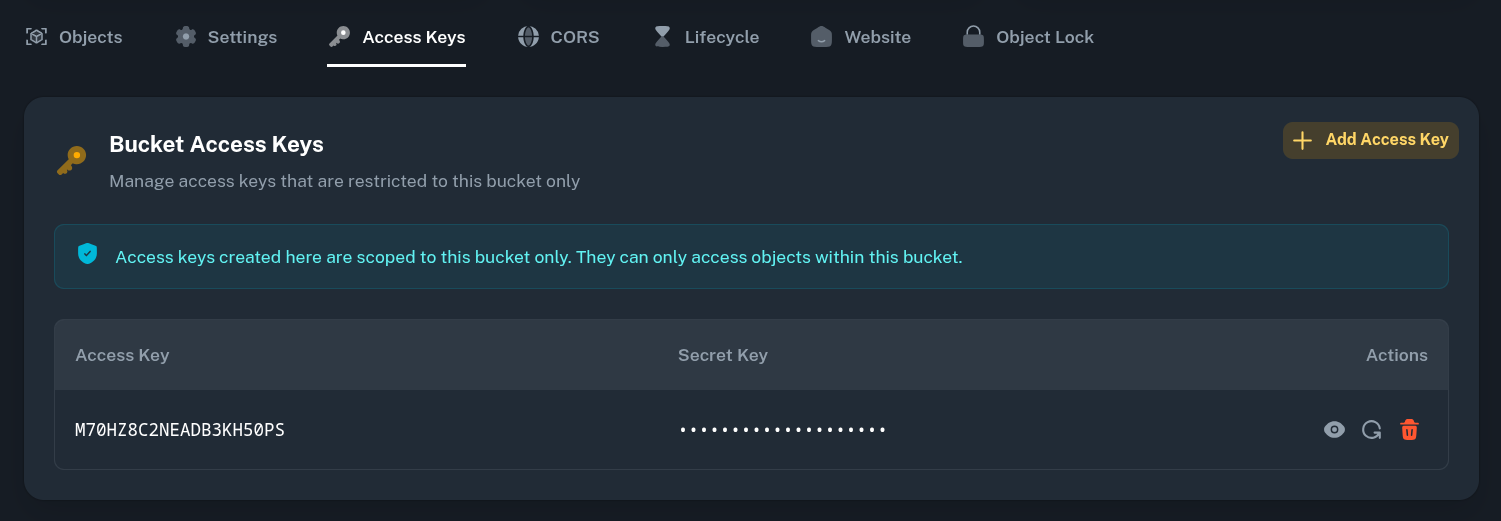
It is recommended that each application uses a dedicated Access/Secret Key pair. To generate a new one for another app, just click Add Access Key button.
-
Next, we will perform initial configuration of s3cmd to let it manage the bucket.
$ s3cmd --configureWhen asked, provide:
-
Access Key(from Step 1.) -
Secret Key(from Step 1.) -
S3 Endpoint- you can view the bucket endpoint in the Settings tab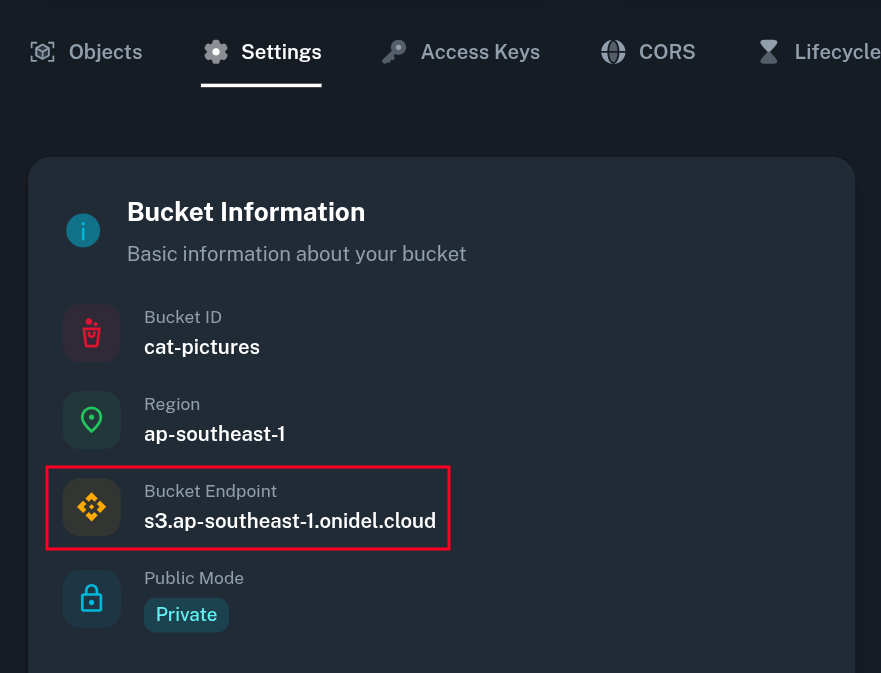
It should be:
-
s3.ap-southeast-1.onidel.cloudin Singapore -
s3.ap-southeast-2.onidel.cloudin Australia
-
-
DNS-style bucket+hostname:port template for accessing a bucket- Same asS3 endpointabove but with%(bucket)s.prepended to it:-
%(bucket)s.s3.ap-southeast-1.onidel.cloudin Singapore -
%(bucket)s.s3.ap-southeast-2.onidel.cloudin Australia
-
-
-
After that's done, you will be presented with the full configuration and asked if you want to test and save it to a local file.
New settings: Access Key: S40SVDFEQL2YZ3A7LALN Secret Key: [redacted] Default Region: SG S3 Endpoint: s3.ap-southeast-1.onidel.cloud DNS-style bucket+hostname:port template for accessing a bucket: %(bucket)s.s3.ap-southeast-1.onidel.cloud Encryption password: Path to GPG program: /usr/bin/gpg Use HTTPS protocol: True HTTP Proxy server name: HTTP Proxy server port: 0 Test access with supplied credentials? [Y/n] Y Please wait, attempting to list all buckets... Success. Your access key and secret key worked fine :-) Now verifying that encryption works... Not configured. Never mind. Save settings? [y/N] y Configuration saved to '/home/user/.s3cfg' -
From there, you should be able to access your bucket directly from the command line using the s3cmd utility.
$ s3cmd ls s3://cat-pictures 2026-03-14 15:05 20425 s3://cat-pictures/cat1.jpg 2026-03-14 15:05 57982 s3://cat-pictures/cat2.jpg 2026-03-14 15:05 68630 s3://cat-pictures/cat3.webp 2026-03-14 15:05 32602 s3://cat-pictures/cat4.jpg 2026-03-14 15:05 67608 s3://cat-pictures/cat5.jpg -
Refer to s3cmd documentation for more detailed usage instructions.
MIME Types
Some S3 clients do not set proper Content-Type header which makes our S3 backend to fall back to application/octet-stream for all uploaded objects. It could also occur when making direct API calls without specifying content type.
Notably, the s3cmd client needs to be provided with -M (--guess-mime-type) option when performing the sync command.
Incorrect MIME type indicator may cause some applications (especially web browsers) to not properly handle the data. To verify the MIME type of an object, you can use curl and look at the Content-Type HTTP response header.
$ curl -I http://bucketname.s3-website.ap-southeast-1.onidel.cloud/data.bin
HTTP/1.1 200 OK
Server: openresty/1.27.1.2
Date: Fri, 03 Jul 2026 11:12:25 GMT
Content-Type: application/octet-stream
Content-Length: 19420
...

$ curl -I http://bucketname.s3-website.ap-southeast-1.onidel.cloud/index.html
HTTP/1.1 200 OK
Server: openresty/1.27.1.2
Date: Fri, 03 Jul 2026 14:44:31 GMT
Content-Type: text/html
Content-Length: 1683
...
Renaming Object Storage Service
Object Storage services can be renamed after purchase in case you accidentally picked the wrong name on creation or the purpose of the object storage changes.
If you ever need to rename the service, go to Object Storage services list and pick Rename from the details menu.
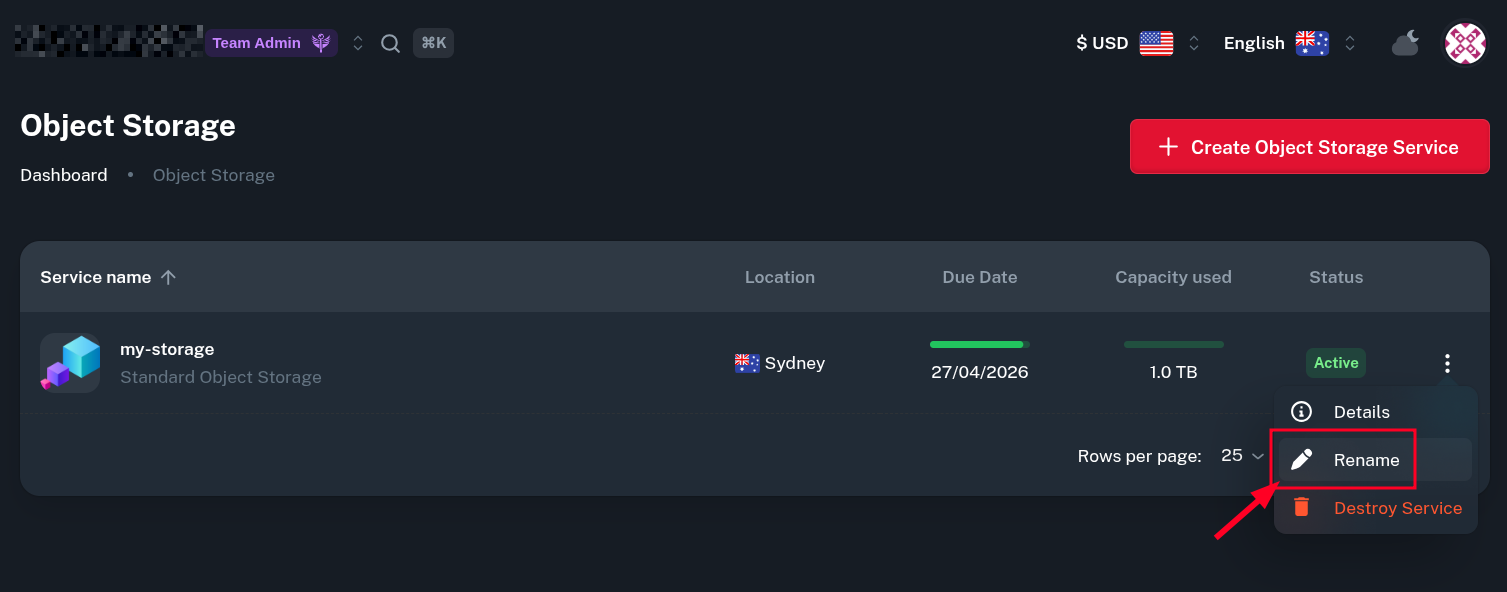
Then you can pick new desired name for the service and update it.
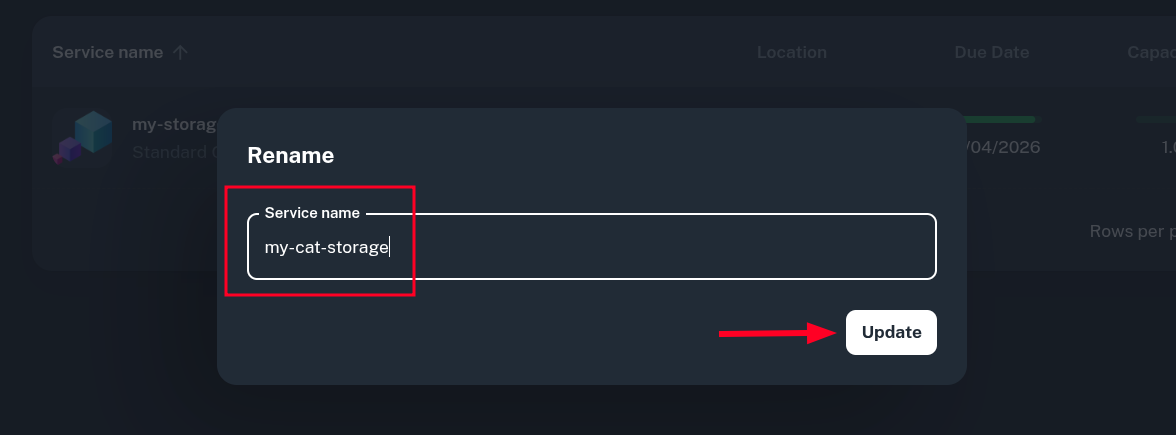
Now you should see the new name in the list of services.
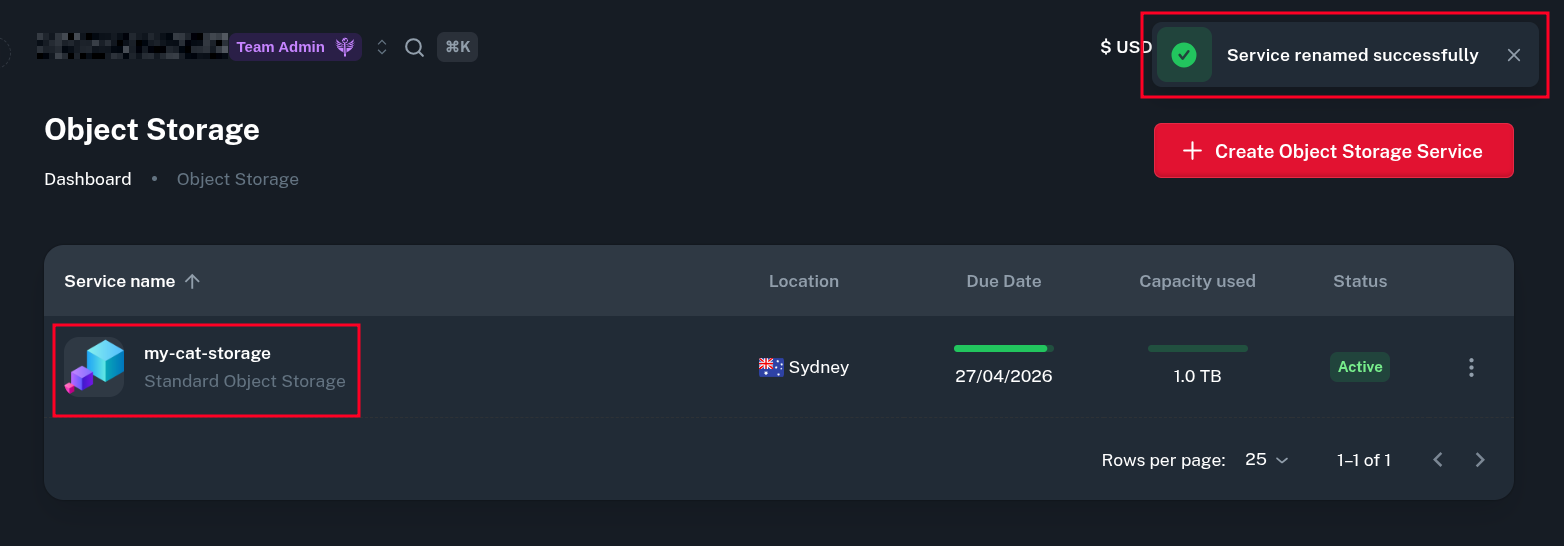
Keep in mind this is entirely separate from the buckets inside the Object Storage service. Buckets can be created, removed and renamed independently.
Adding Your Own Domain
If you want to use your own domain with Onidel Object Storage, take a look at a dedicated tutorial.
Limits
Minimum Size
Minimum Object Storage plan is 250GB. You can upgrade to higher capacity later.
The storage is billed per allocated size, not per used object storage capacity.
Maximum Number of Objects
The default limit is 3 million stored objects. This can be increased on request - just open a ticket explaining your purpose and needs.