

- ⚠️ This article is now deprecated and remains there only for users with existing prepaid hourly billed servers. Once you add the automatic payment method and perform at least 1 recharge (or it performs automatically), your account will get converted to a postpaid model where auto-recharge is not applicable anymore.
If you are using hourly-billed virtual machines on prepaid billing model, enabling auto-recharge helps ensure uninterrupted service. Onidel will automatically top up your account if your current balance is insufficient to cover the estimated usage for the next 24 hours.
To enable auto-recharge, please follow these steps:
-
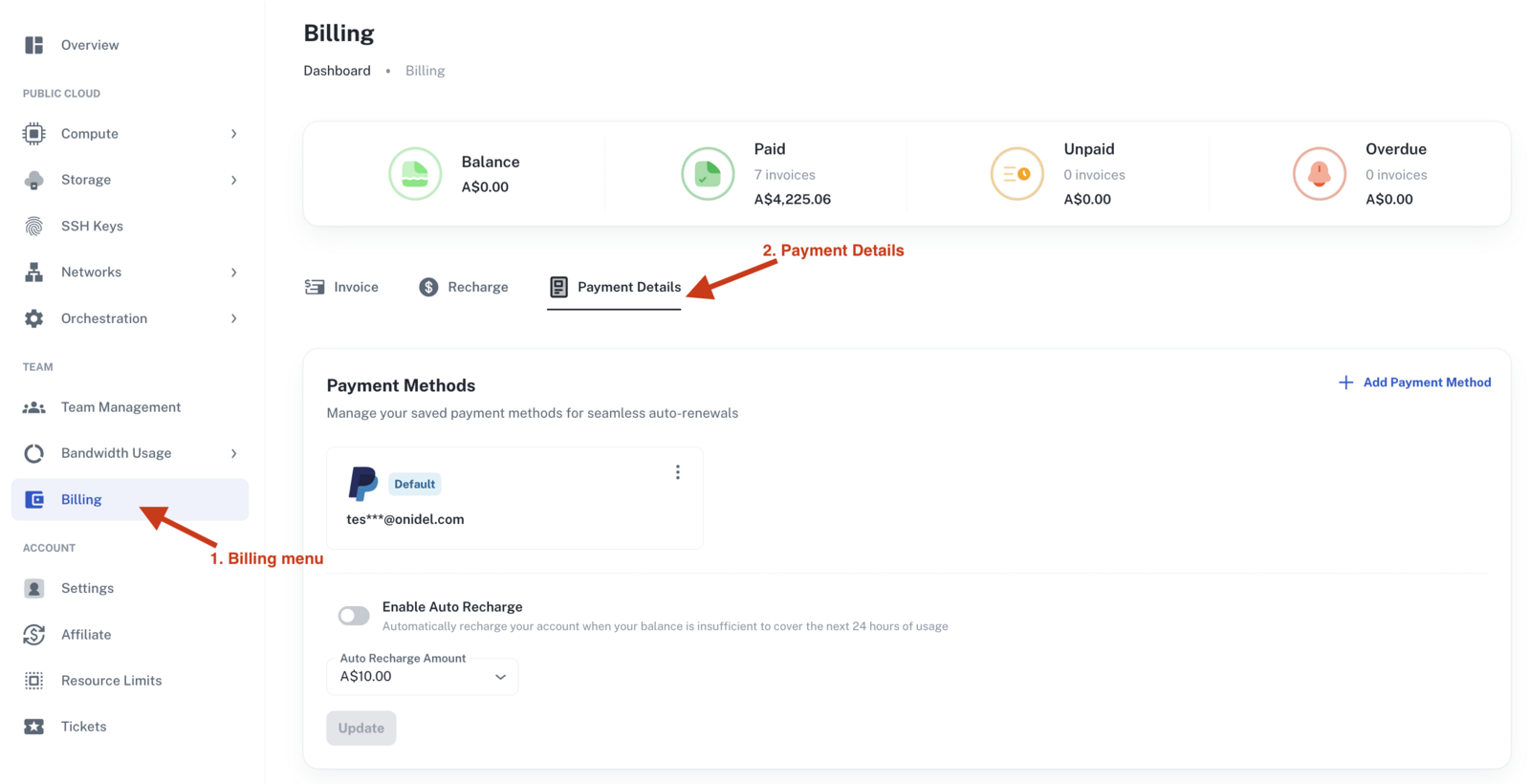
Go to the Billing menu from the left sidebar.
-
Click on the Payment Details tab.
-
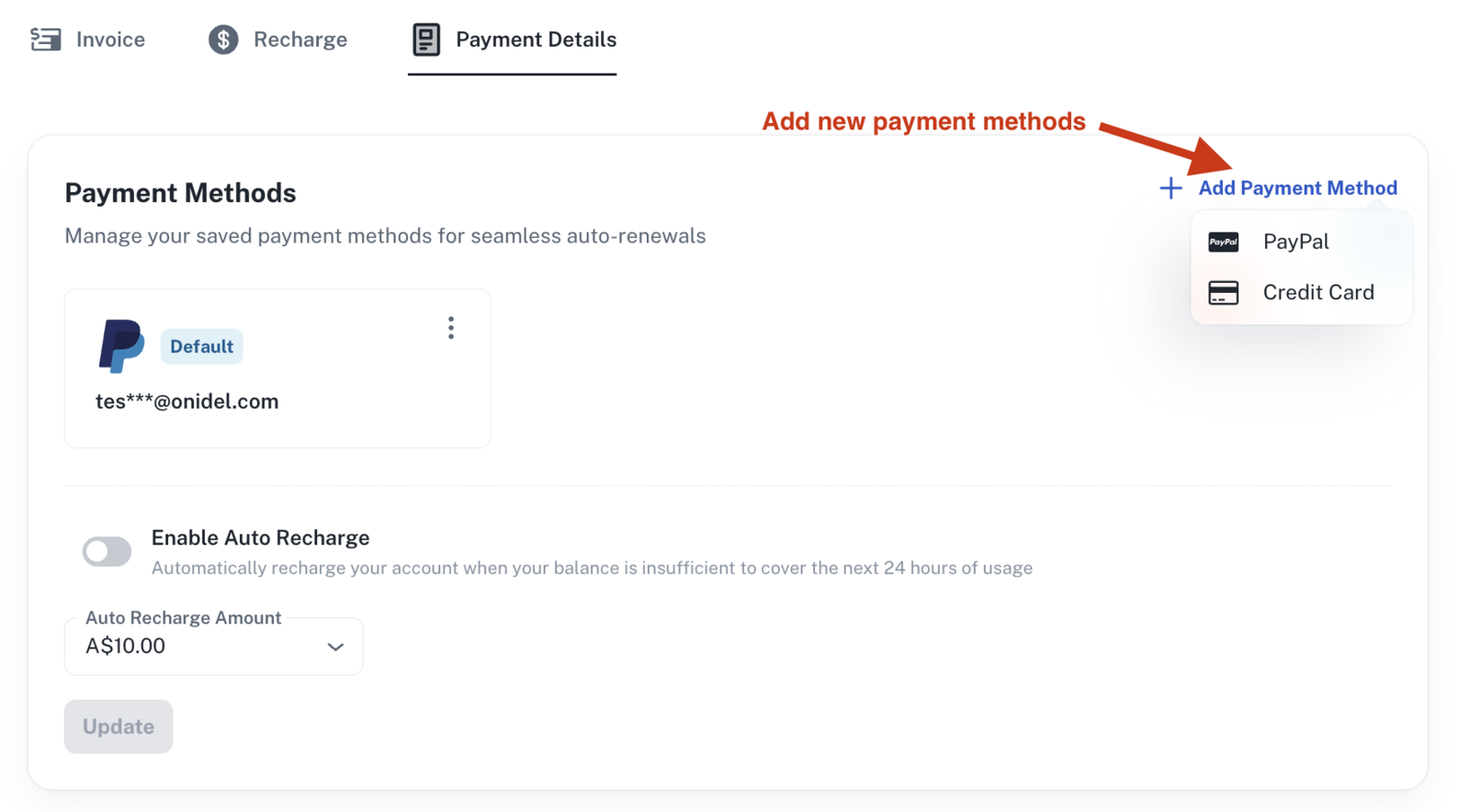
You will see a list of your saved payment methods. If you do not have one, click Add Payment Method and choose your preferred option.
-
Once at least one payment method is saved, the Auto Recharge option will appear.
-
Click Enable Auto-recharge to activate the feature.
-
The default recharge amount is A$10 / USD $10 / EUR €10. You can change this amount using the dropdown and click Update to save.
If you have any problems, please open a support ticket for further assistance.